
MatrixCloud uses WebRTC-based phone functionality, so it is affected by the user's computer sound devices.
If you can make and receive calls normally but cannot hear any sound, the microphone device may be functioning correctly, but the issue may be due to problems with the sound output device as outlined below.
Possible Causes
1) The speaker device has been changed to a different device instead of the headset being used.
2) Other temporary errors with the computer's sound equipment or recognition errors of the speaker device in the Chrome browser.
Solutions
1) Check the sound output device and change it back to the headset device if it has been switched to another device.
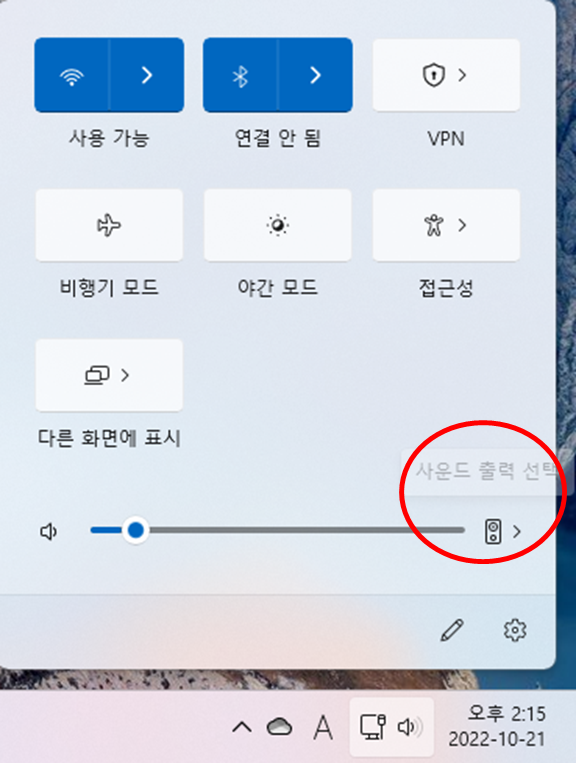
2) If there are no issues with the sound output device, try removing and reattaching the headset to re-recognize it.
3) If that still doesn't work, please restart your PC and try again.
Comments
0 comments
Please sign in to leave a comment.